Speak however you want. Read it clean.
Filler words, hesitations, false starts. VoCript strips them while you dictate.
Okay so, um, I need to, like, send this to the... the client by, uh, Friday and I think we should, you know, mention the the pricing changes first because, um, that's kind of what they're worried about right now.
I need to send this to the client by Friday. I think we should mention the pricing changes first. That's what they're worried about right now.
Write where you already work
VoCript pastes the transcribed text into whatever app you have open. No exporting, no copy-pasting.
 VS Code
 Cursor
 Claude
 Word
Word Slack
Slack Gmail
Gmail WhatsApp
 Browser
 Notion
 Outlook
and many more...
Main features

Try it right here.
This is not a video. It is the real VoCript, running in your browser.
The demo needs a desktop screen. In the meantime, this is what VoCript looks like inside.
See VoCript in action.
Here's what VoCript looks like on the inside.
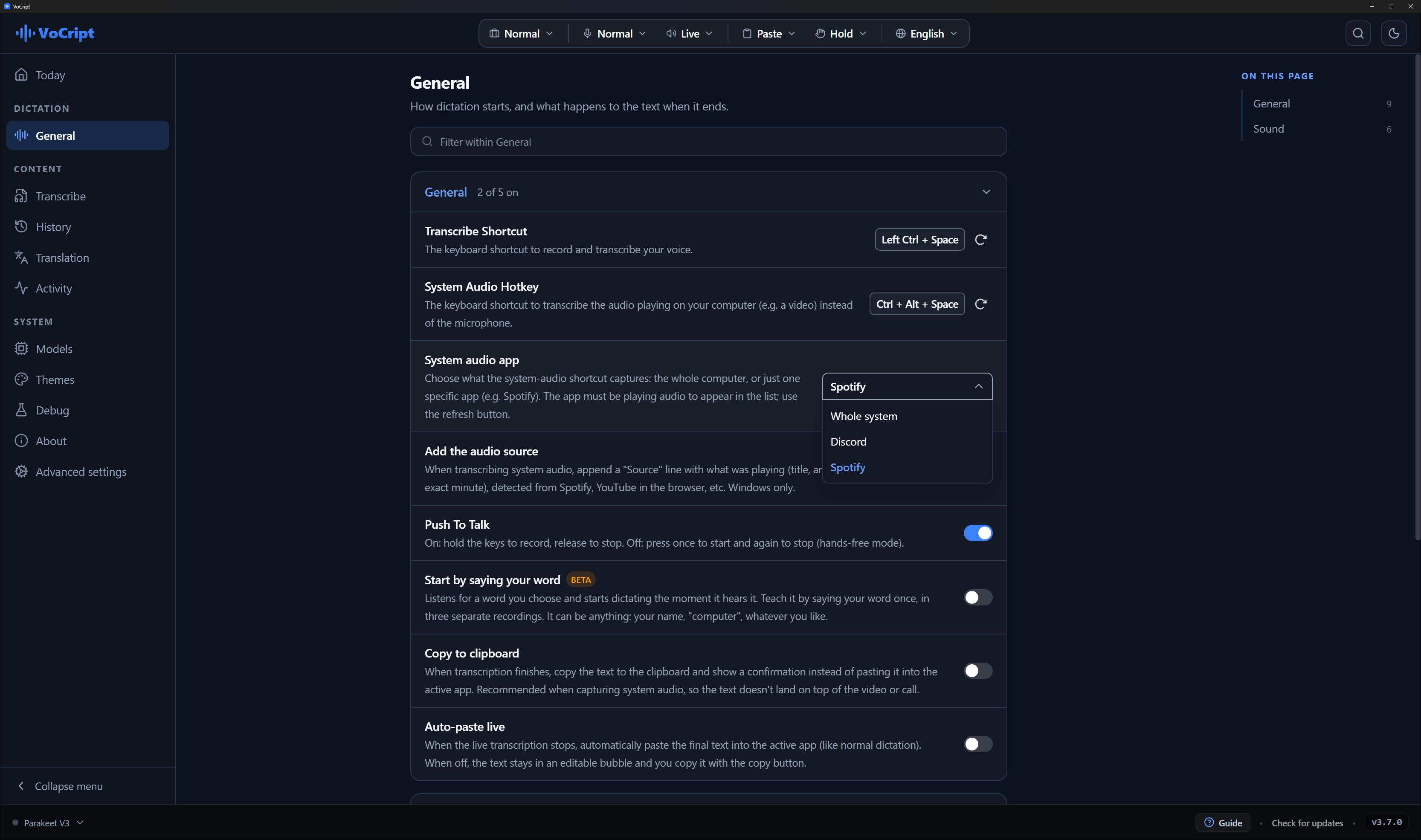
01Every dictation setting, with a search box
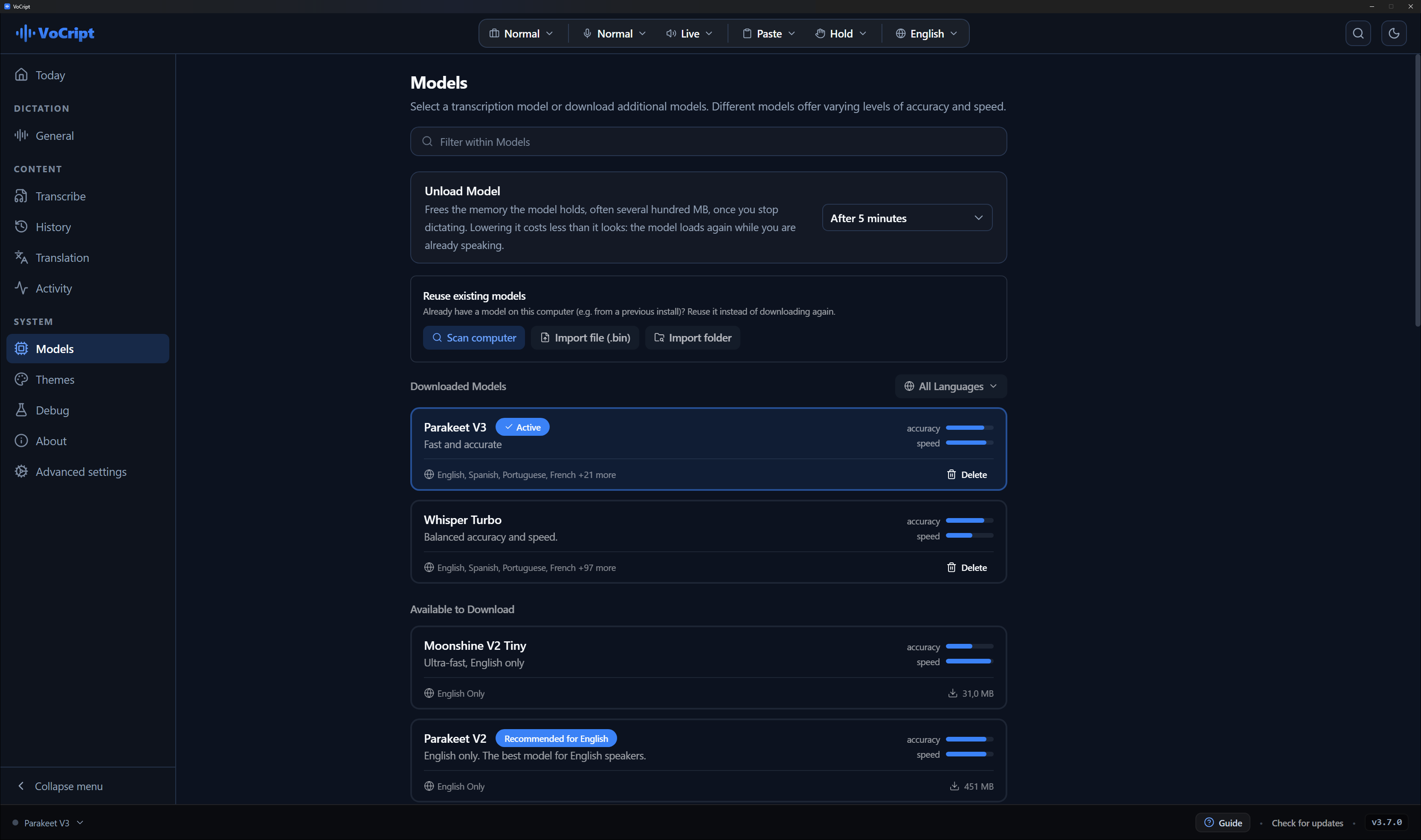
02Pick your local model. None of them needs internet
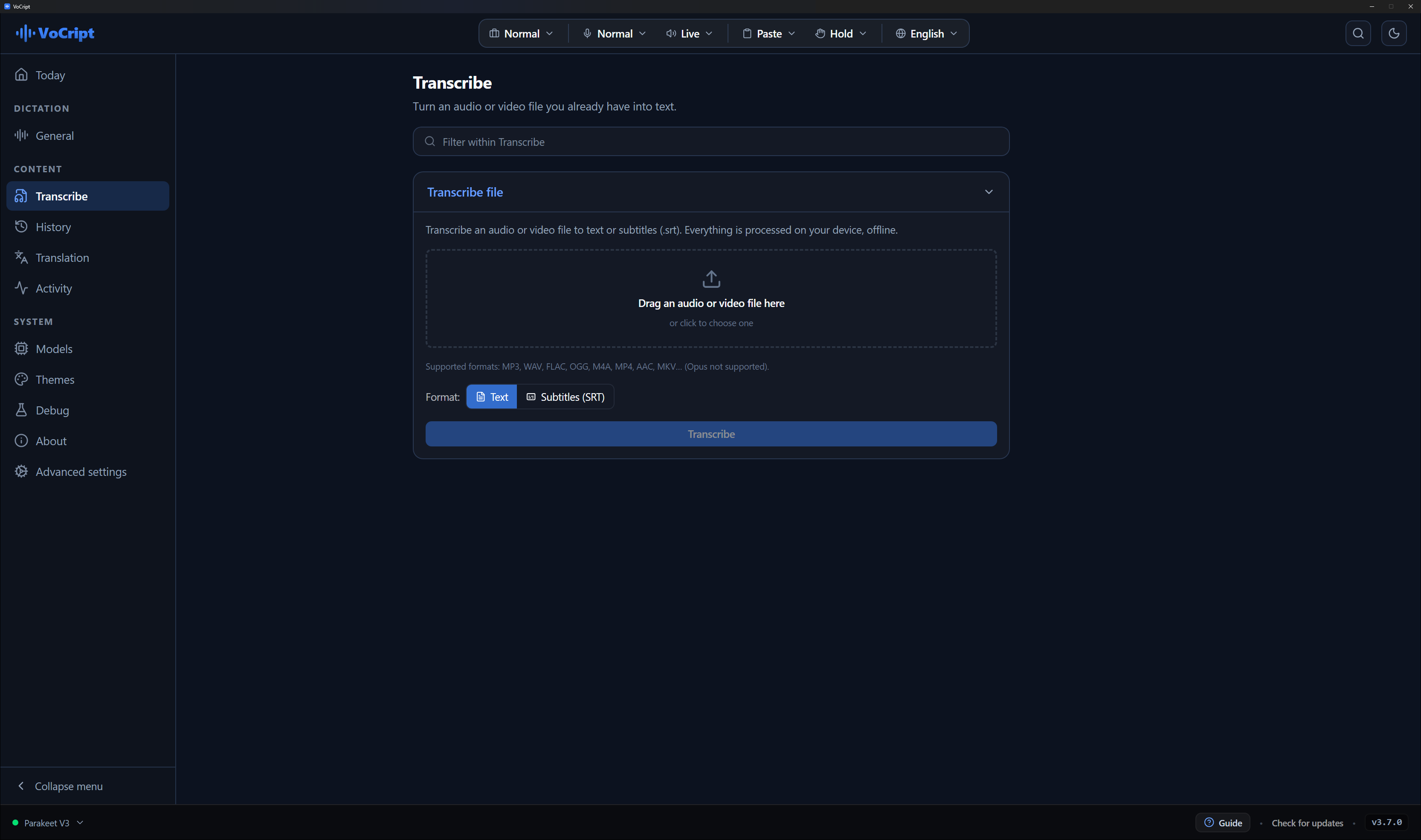
03Whole files to text, without uploading
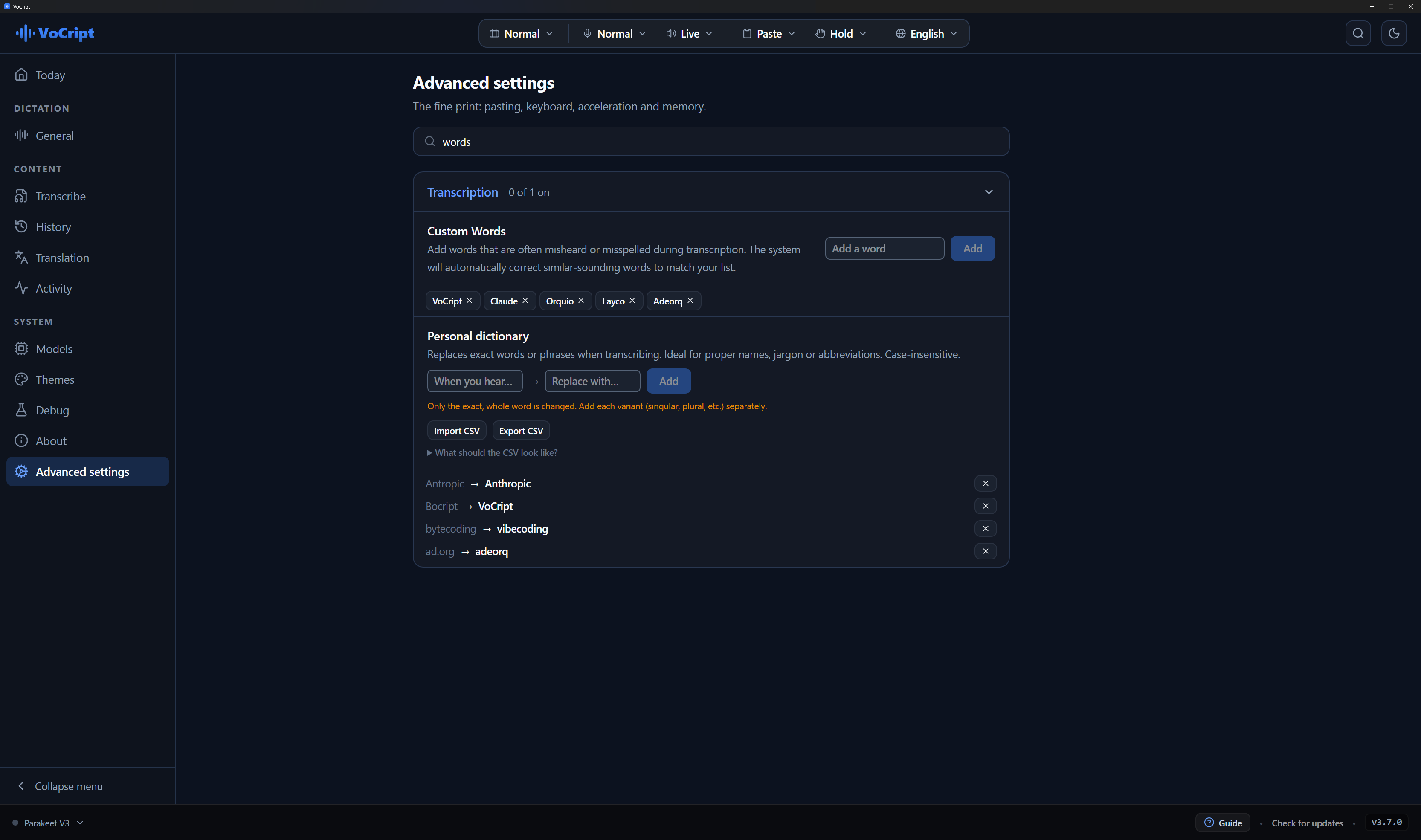
04Your words, always written right
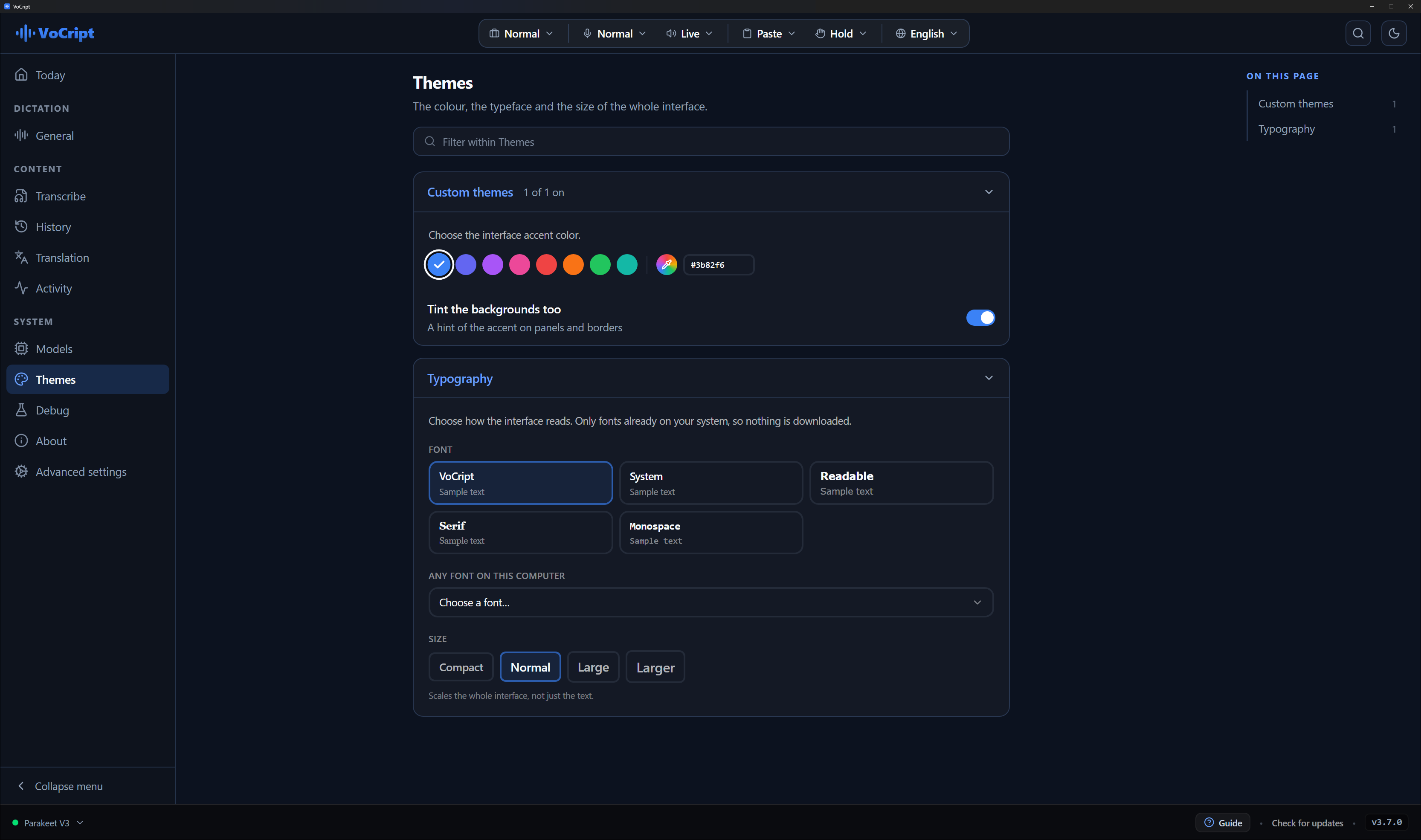
05The colour and the type, your way
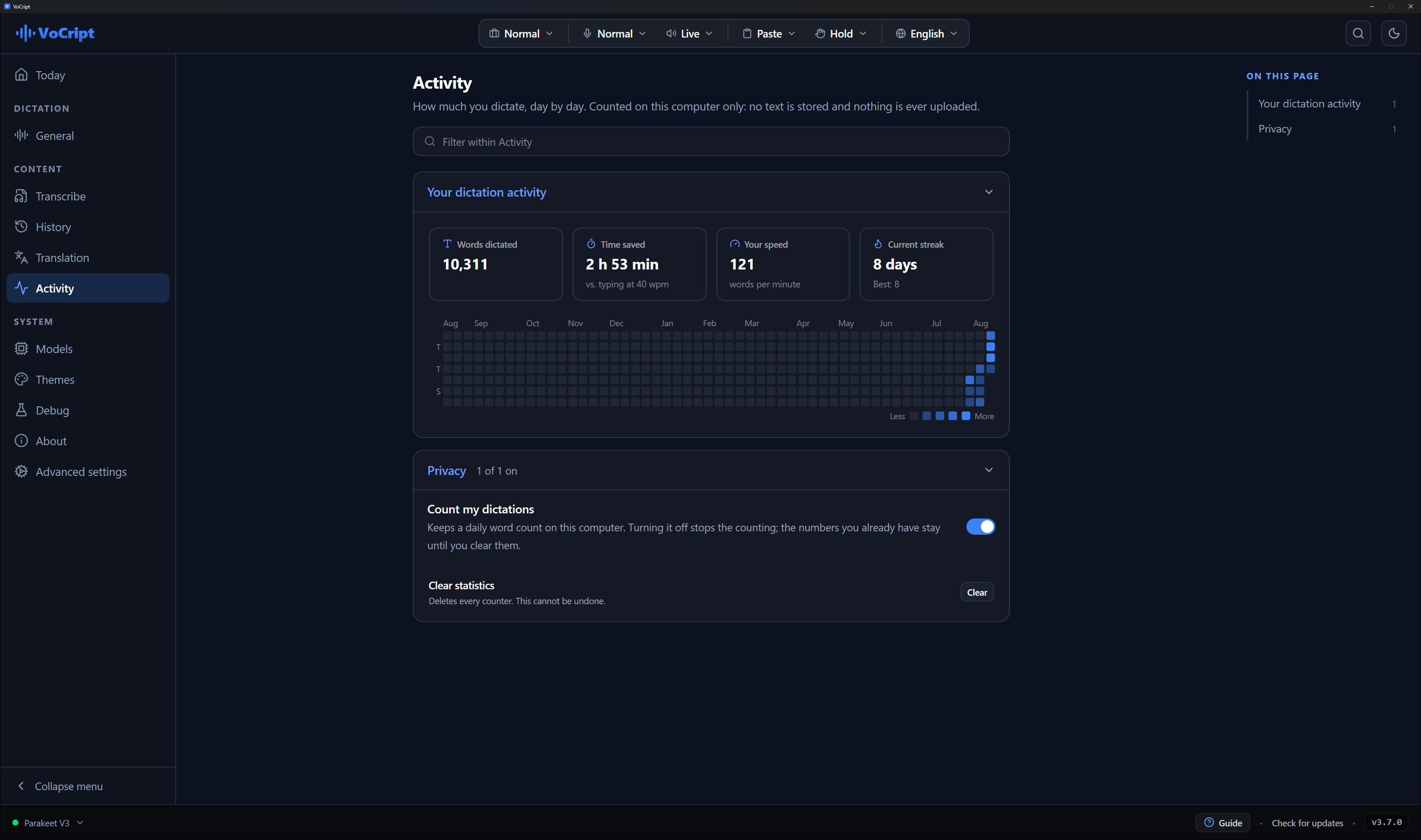
06How much you dictate, day by day
No cloud involved.
Every time you use an online transcription service, someone processes your voice. With VoCript, that never happens.
Your audio never leaves your machine.
No minute quota, no premium plan.
Free now. No expiration date.
This isn't hypothetical. In 2026, Wispr Flow, a well-funded dictation app, confirmed it captures screenshots of your active window and sends them to the cloud. Its own CTO apologized publicly.
VoCript's answer: nothing ever leaves your machine.
Two editions. The free one is already complete.
VoCript is free and complete, forever. Pro adds what goes beyond dictation.
VoCript
Forever. No account, no card.
- Works with no internet and no cloud
- Whisper dictation in any app
- Every model, the large ones included
- System audio and per-app capture
- Turn audio files into text and subtitles
- Personal dictionary, with import and export
a month for the first 3. After that, €14.99 a month. Not on sale yet.
- Everything in VoCript, nothing taken away
- Have any text on screen read out loud
- The agent: it looks at your screen and answers
- Your own keyboard shortcuts
- Sync across machines, up to 3
- Transcribe in the cloud, sparing your CPU(Coming soon)
- Cloud AI cleanup, more powerful
- The Pro features on mobile(Coming soon)
- Email support
VoCript is ready to download. Pro works and is not on sale yet: leave your email and I will tell you the day it opens.
Frequently asked questions
What people usually ask before installing it.
How do I turn my voice into text on my computer?
Hold Ctrl + Space and talk. When you let go, the text is typed into whatever window you had open, whether that is your browser, Word, WhatsApp or your code editor. Nothing to copy, nothing to paste, and you never have to open the app to dictate.
Does it work without internet?
Always. The speech model downloads once and everything after that happens on your own machine. You can dictate on a plane, on the underground or with the wifi switched off, and it is just as fast.
Is it free?
Yes, with no catch. No account to create, no card, no counted minutes, and no cut-down version waiting for you to pay. The code is published on GitHub so anyone can check what it does.
Which apps can I dictate into?
Any app that takes typed text. It works the same in Word, in email, in WhatsApp Web, in Notion, in Slack, in the browser address bar and in code editors like VS Code or Cursor, because it types where your cursor already is instead of having its own text box.
Which languages does it understand?
It depends on the model you pick: some are English only and extremely fast, others understand up to 100 languages. The app's own interface is translated into 20. You can switch models whenever you like and keep several installed.
Is my voice stored anywhere? Does it go to the cloud?
No. The audio never leaves your computer: there is no server to send it to, no account attached and no analytics. That is why it works offline. If you want to check, the code is public and the app has a screen showing exactly what it keeps, with a button to wipe it.
Does it work on Mac and Linux?
Yes, on all three. There is an installer for Windows 10 and 11, one for Macs with Apple Silicon, and AppImage, .deb and .rpm for Linux. You do not need a graphics card: a normal laptop is plenty, and if you do have a GPU it will use it to go faster.
How is this different from the dictation already built into Windows?
Three things. It works offline, so your voice is never sent to a server. You choose the model, and the good ones are noticeably better with accents and technical words. And you can teach it your own vocabulary, like names or work jargon, so it stops spelling them wrong.
Can I transcribe an audio file or a video I already have?
Yes. Drop the file on the app and you get the text back, or subtitles as .srt if you prefer. It takes mp3, wav, mp4, mkv and a few more, and it uploads nothing: the whole thing is transcribed on your machine.
Can I transcribe a meeting or a video that is playing?
Yes. A second shortcut makes VoCript listen to what your computer is playing instead of your microphone. It is what you want for a video call, a YouTube video or a podcast, and you can choose whether it captures the whole system or just one app.
Want a heads-up when something big lands?
Leave your email and I will only write when it is worth it: a major feature, or the upgraded version I am working on, with more capable models and optional cloud processing, and the plans that come with it. What you already use stays free. No newsletters, no spam.